The cPanel / WHM Accounts Importer plugin available in Clientexec helps you to import your accounts from a cPanel/WHM server.
This article will guide you on how to import that data using the importer plugin.
Steps :
- Login to your Clientexec installation, and navigate to Setting -> Utilities -> Import Data -> cPanel / WHM Accounts
- Select the cPanel server from the "Select Server" drop down box, which you have configured earlier under Settings -> Products -> Servers
- Select which accounts you wish to import, and which product they should be assigned to in Clientexec.
- Click the "Import Accounts" button.
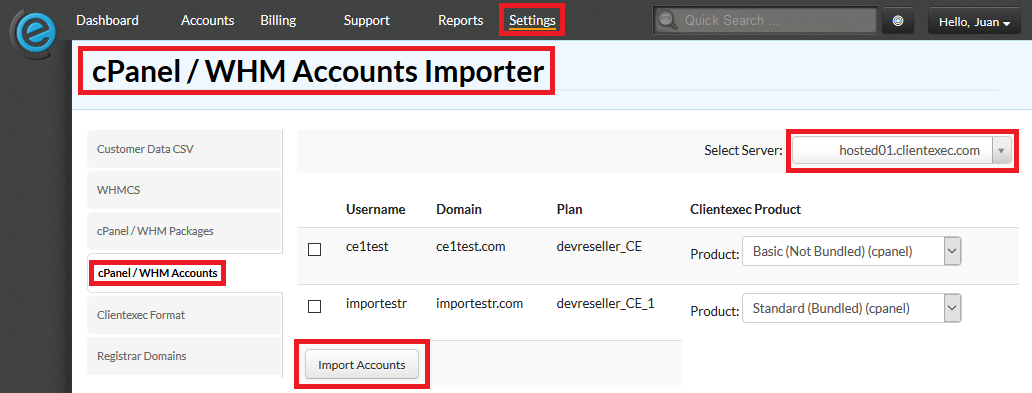
You are all set! This will import the accounts from your cPanel/WHM server.

