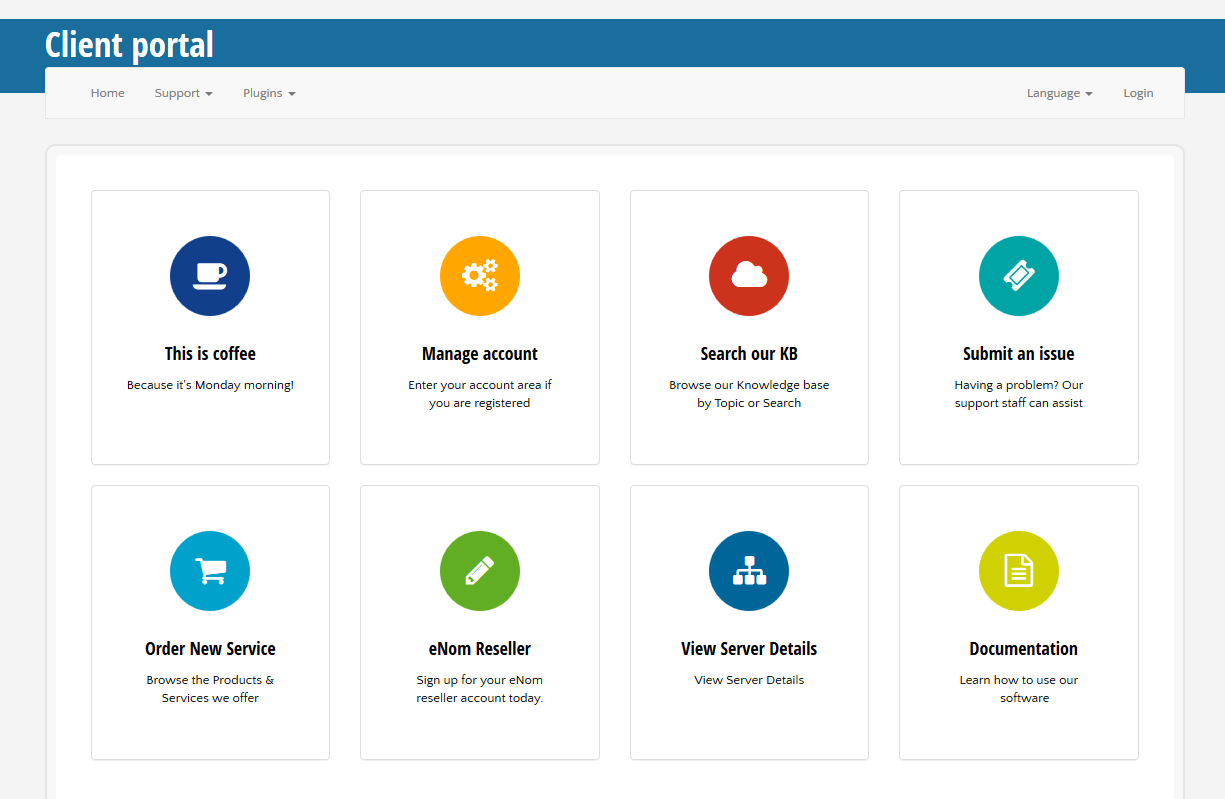
If you want to add buttons to the main page, you'll need to edit \templates\default\views\home\indexpublic\main.phtml. Search for this code around line 56:
<div class="support-boxes row">
Then, add bellow that line something like this:
        <a href="http://clientexec.com" class="support-box col-xs-12 col-sm-3">
            <div class="feature-block panel panel-default">
                <div class="panel-body">
                    <div class="feature-tab img-circle" style="background-color: <?php echo $colors[$color_index++]; ?>">
                        <i class="fa fa-coffee"></i>
                    </div>
                    <h2><?php echo $this->user->lang("This is coffee");?></h2>
                    <p><?php echo $this->user->lang("Because it's Monday morning!");?></p>
                </div>
            </div>
        </a>
The list of icons available for you to use is located at https://fontawesome.com/v4.7.0/icons/
This will display it on your Home page: