In order to configure your PayPal plugin, navigate to Settings -> Plugins -> Payment Processors.
Click PayPal in the drop-down.
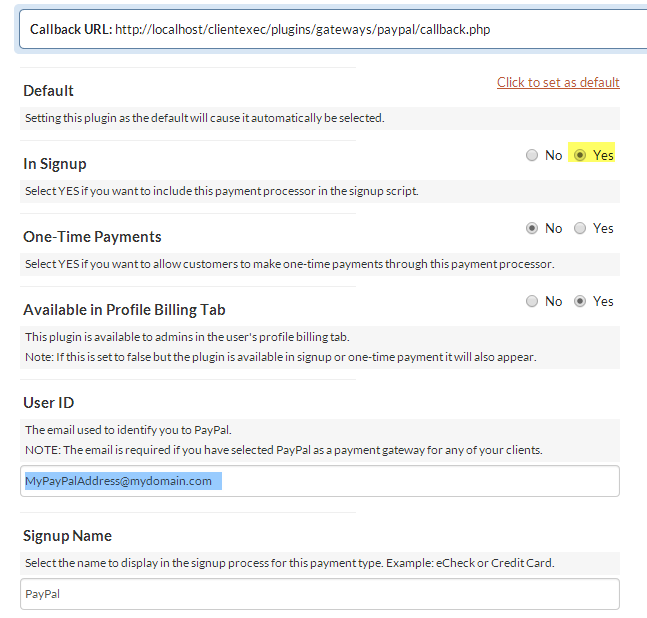
There are various settings to configure, as you can see, and each has a description.
If you are utilizing PayPal, it is recommended to mark "Yes" next to "In Signup" so that your clients can pay with PayPal during the signup and payment process.
If you want to issue refunds through PayPal, you will need to follow the instructions in this article: How do I enable PayPal refunds?


