In order to disable live chat:
- Click the gear icon at the bottom left of your admin panel:
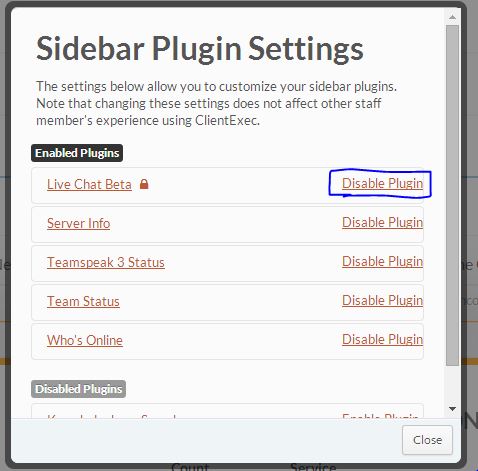
Click Disable Plugin next to Live Chat:
Allow the page to refresh.
Go to Settings -> Staff / Clients -> Customer Permissions.
Click a group, and click Edit Permissions.
Click Support Permissions.
Uncheck View Live Chat.
Click Update Permissions.
Repeat step 5-8 until all of your groups no longer have access to see the Live Chat.

Note: You can take advantage of this feature by disabling Live Chat for guests so that just your registered users have access to chat with an employee. You may also create a special group which is the only one that has live chat access.